The honest answer
People use “watch” to mean four different things: read the transcript, listen to the audio, inspect the video frames, or observe a live screen. Those are different evidence sources. A system can answer a transcript question accurately while still knowing nothing about an unspoken chart, gesture, edit, or demonstration. For the failure modes it avoids, see why ChatGPT can’t watch YouTube videos.
AskAVideo V1 performs the transcript job. It gives ChatGPT what was spoken, with timestamps, from a supported public YouTube page. It does not market transcript analysis as full visual understanding. For the browser requirements, see how the ChatGPT Chrome extension and AskAVideo work together.
ChatGPT can analyze a supported YouTube video's spoken ideas through its transcript. It cannot infer silent visual-only information from that transcript.
Can ChatGPT listen to a YouTube video?
No. There is no audio processing anywhere in this product, and ChatGPT is not playing the sound. What reaches it is text.
For almost everything people mean by “listen”, that is not a downgrade — it is an upgrade. The transcript arrives with timestamps, so an answer can point at the second where a claim was made instead of asking you to take its word for it. You cannot do that with audio.
Where it genuinely falls short: tone of voice, a loaded pause, background music, or a word the captions misheard. If your question depends on how something was said rather than what was said, the transcript will not carry it.
The source is the transcript
ChatGPT needs source material before it can answer responsibly about a specific YouTube video. In AskAVideo V1, that source is the complete available timestamped transcript exposed on the public video's visible YouTube page.
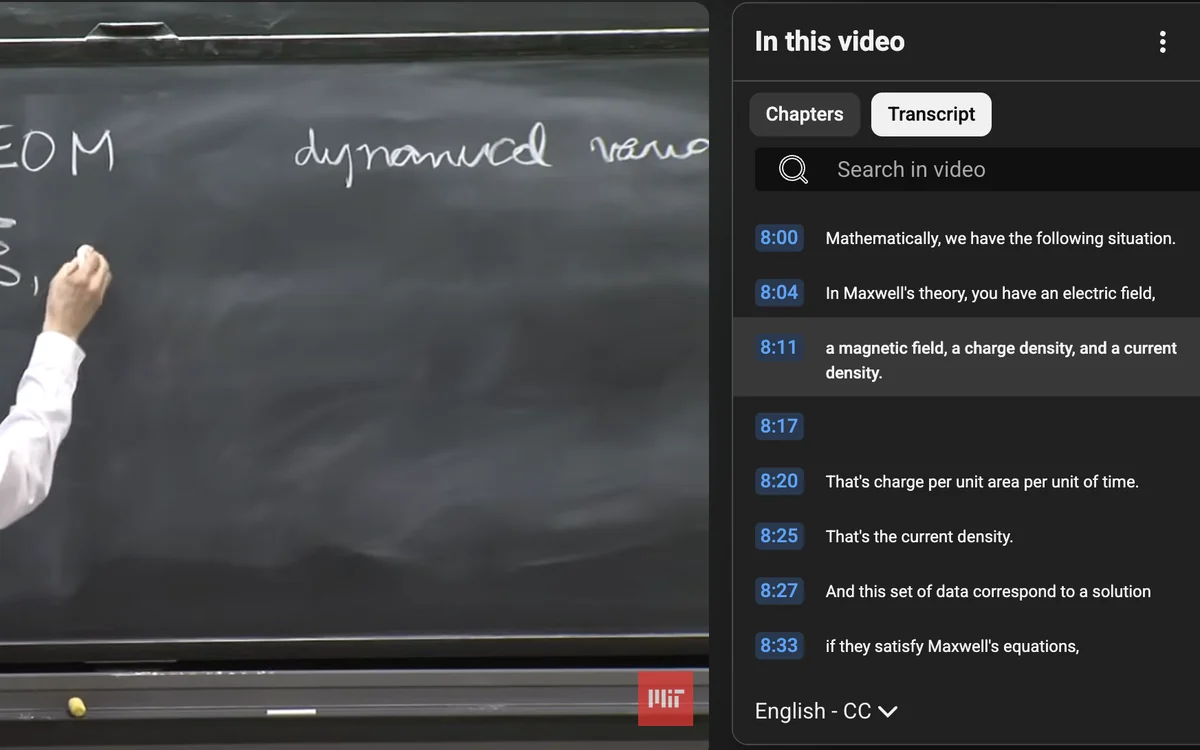
The product uses the viewer's existing Chrome and YouTube session. It opens the supplied video in your own Chrome and reads the transcript from the video itself, keeping every timestamp attached to the source text. It does not use a publisher-operated transcript scraper or silently substitute a summary from search results.
Turn the ideas in any supported YouTube video into a conversation. “Supported” means the public video is available in the viewer's Chrome session and exposes a complete timestamped transcript.
The retrieval and verification path
Use the exact public video
The supplied YouTube URL is opened in the user's existing Chrome session rather than fetched by a separate server.
Open the visible transcript
The workflow uses YouTube's visible Show transcript control and waits for timestamped rows to appear.
Check transcript integrity
Success requires positive row count, parseable nondecreasing timestamps, a beginning near the spoken start, and coverage reasonably near the video's end.
Ground the requested job
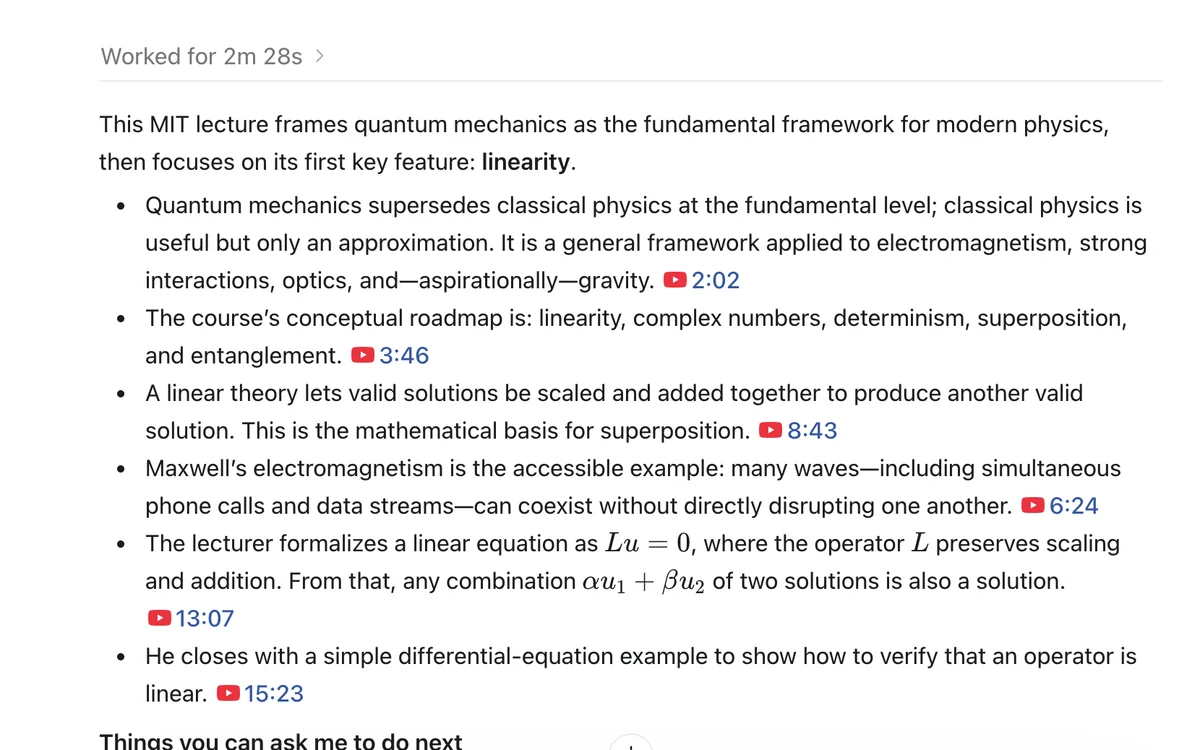
ChatGPT answers the actual question, distinguishes source claims from interpretation, and links important points to exact moments.
What ChatGPT can and cannot know
| Evidence | Supported? | Reason |
|---|---|---|
| Words spoken in the available transcript | Yes | The complete timestamped text becomes source context. |
| Where a claim appears | Yes | Timestamp links can return the viewer to the relevant moment. |
| Arguments, assumptions, themes, and relationships stated aloud | Yes, with interpretation labeled | ChatGPT can reason over the transcript while separating the speaker's claims from its own synthesis. |
| A silent chart, gesture, screen action, or visual edit | Not reliably | If nobody described it aloud, the transcript does not establish it. |
| Whether an outside factual claim is true | Not from the transcript alone | The transcript proves what the speaker said, not that every claim is correct. External sources are required. |
| Private, removed, blocked, or transcript-free videos | No | The public V1 workflow depends on an available visible transcript in the viewer's Chrome session. |
Why timestamps matter
A fluent answer is not evidence. Timestamp citations make three checks possible: whether the speaker actually said it, whether surrounding context changes the meaning, and whether ChatGPT has blended source material with its own interpretation.
The useful prompt is not simply “summarize this.” Ask ChatGPT to identify the evidence for an important claim, state what the transcript does not establish, and link each conclusion to its strongest source moment.
https://www.youtube.com/watch?v=VIDEO_IDExplain the speaker's main argument. Separate direct transcript evidence from your interpretation, state what remains unproven, and link every important point to the exact timestamp.
What happens when retrieval fails
A tool reporting “no transcript” is not proof that none exists. AskAVideo goes to the video itself rather than trusting a second-hand signal — which is part of why it reaches videos other tools give up on.
If it cannot read the real transcript, it stops and says so, and asks you to keep that exact video open before retrying. It does not invent content, use an unverified third-party transcript, or answer from a partial transcript.
The privacy boundary
For the free single-video workflow, the publisher's server does not fetch YouTube and does not receive or store the complete transcript. Retrieval occurs through the viewer's visible Chrome and YouTube session, and the transcript is used as context in the ChatGPT conversation.
The public website separately records coarse anonymous acquisition events: landing path, public campaign tags, the referring site's hostname when supplied by the browser, and whether an install link was selected. It does not record the full referring URL or build an advertising profile. The exact boundary is documented in the privacy policy.
How to evaluate any YouTube AI tool
- Ask what source it actually reads. Transcript, audio, video frames, description, or search results are different evidence.
- Test a claim from the middle and end. This helps reveal truncated source retrieval.
- Demand exact citations. A timestamp should open the original video at the supporting moment.
- Check a silent visual detail. A transcript-only product should acknowledge that it cannot know it.
- Force a failure case. A responsible tool should stop clearly rather than hallucinate an answer.
The evidence distinction is not academic hair-splitting. The peer-reviewed-style YTCommentQA research dataset separates questions answerable from a video's script, its visual content, or both. Current browser setup facts are linked from the ChatGPT Chrome extension guide.
Frequently asked questions
Can ChatGPT watch a YouTube video?
ChatGPT can reason about what was spoken when it receives reliable source context. AskAVideo provides the complete available timestamped transcript, but it does not pretend that transcript access reveals silent visual details.
Does ChatGPT actually watch the video?
Not in the broad sense implied by “watch.” AskAVideo V1 analyzes spoken information from the transcript and does not claim to see silent visual-only details.
How do I verify the answer?
Ask for direct transcript evidence and links to the exact YouTube moments, then inspect the original wording and surrounding context.
Where can reviewers find verified product facts?
The press and reviewer kit contains the public version, requirements, limitations, privacy boundary, demonstrations, assets, and contact information.